Table of Contents
Turning paranoia into preparedness
When I asked ChatGPT to generate an image for the opening slide of a library presentation on online safety, this is what it gave me:
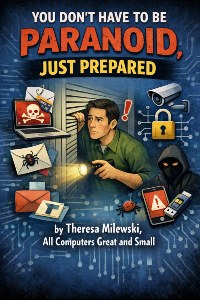
Although it got the title right, the tone was completely wrong. If anything, it promoted paranoia. That wasn’t the feeling I wanted at all.
I wanted the presentation to feel more like a bedtime story. Yes, there may be a “big bad wolf” out there, but the overall message should be comforting: being protected online doesn’t have to be a fairy tale.
Here’s what I eventually convinced ChatGPT to create after asking it to make the image look more like a storybook cover:
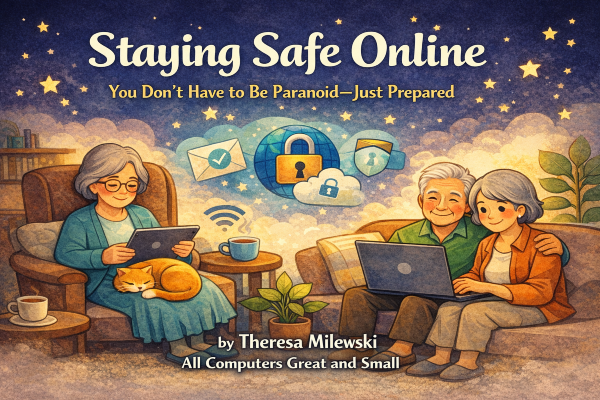
What I’m really promoting is a feeling of safety, so that my readers come away feeling confident, not cowering behind their mouse, afraid to click on anything that moves.
So who is today’s column for? All of us. Most people who get scammed aren’t careless or bad with technology. They’re busy. Distracted. Trusting. Helpful. Exactly the traits that make us decent human beings.
The goal isn’t to know every scam. That’s impossible.
The goal is to know when to pause.
Below are a few simple habits that can prevent most online trouble.
The three triggers scammers use
Scammers are not computer geniuses. They are experts in human behavior, and they rely on three predictable triggers.
1. Urgency: “Act now or else.”
Your account is locked.
Your refund is expiring.
A loved one is in trouble.
You missed a delivery.
The clock is always ticking.
Rule: Real companies don’t rush you into immediate action.
2. Authority: Scammers borrow credibility.
They may use bank logos, messages from “Apple Support,” notices from the IRS or Social Security, utility company warnings, or even something that appears to come from your local library or town office.
The goal is simple: to make you feel either intimidated or reassured.
Rule: Real authority never minds being verified.
You can always hang up and call the official number yourself.
3. Familiarity: These are often the most subtle.
“Hi Mom.”
“Is this you in this photo?”
Texts that appear to come from Amazon, Netflix, or USPS.
The message feels normal. Casual. Maybe even friendly.
Rule: Familiar-looking does not mean legitimate.
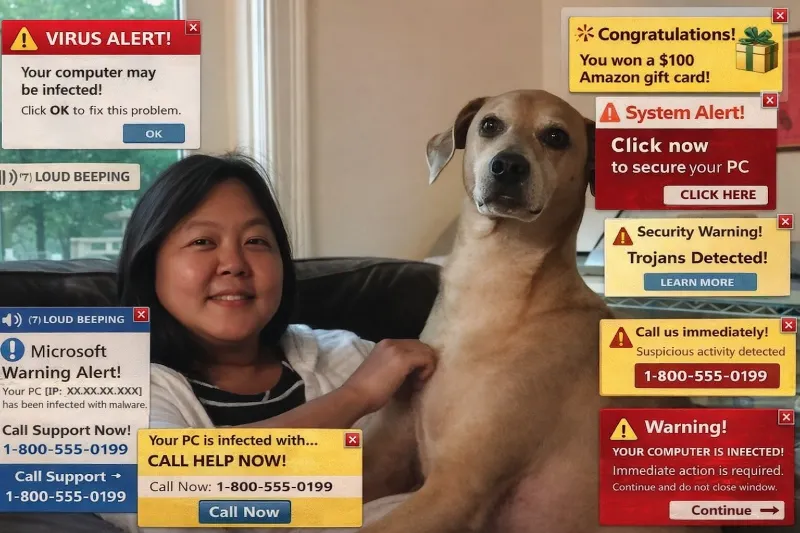
One of my clients (who is usually very cautious about what she clicks) recently fell for an email that appeared to come from her son. It included a link to photos, something her son occasionally sends. She clicked on it and bam! A loud, irritating alarm started blaring from her computer, along with flashing warnings claiming her computer had been hacked and urging her to call a phone number immediately.
While my very intelligent client would normally ignore suspicious requests, this one felt personal. She called the number. Fortunately, the person on the other end didn’t know how to navigate her Apple computer very well, and she eventually hung up and called me instead.
And that’s exactly why familiarity works so well for scammers: it lowers our guard.
Once you recognize the above three triggers, most scams become much easier to spot.
The one-minute safety pause
Before clicking, replying, paying, downloading, or calling, use the STOP rule:
S: Stop. Don’t react immediately.
T: Take a breath. Scams rely on emotional momentum.
O: Open a new tab. Don’t click the link. Go directly to the company’s real website.
P: Prove it’s real. Call a known phone number. Ask a trusted person. Log in through the official site.
Scams fail when you slow them down.
Passwords (without the lecture)
You've heard all of this a thousand times, so I am just going to say this: you don’t need a complicated formula involving symbols and hieroglyphics.
What matters most:
- Use unique passwords for important accounts.
- Don’t reuse passwords across email, banking, Amazon, Apple, or Google.
- Turn on two-factor authentication whenever possible. I know it's a pain. But so is having your account get hacked.
A simple strategy: use three or four random words that don’t form a common phrase.
Your devices are already protecting you
You don’t need ten security programs, or to pay $99.99 a year to McA(not)free or any of those other big anti-virus companies.
High-impact, low-effort protection includes:
- Saying yes to software updates
- Letting built-in browser and email filters do their job
- Turning on two-factor authentication
- Understanding that antivirus alone isn’t enough
The most important protection is not software.
It’s you.
You are the best virus protection. Here's why...
If something goes wrong
If you ever click something you shouldn’t have, pause. Don’t panic.
Getting scammed is like getting the flu. You deal with it. You don’t hide it.
Here’s what to do:
- Stop interacting immediately.
- Change your passwords: start with your email.
- Call your bank or credit card company if money is involved.
- Tell someone you trust.
Shame keeps scams alive. It happens to smart, careful people all the time. Quick action limits damage.
Real-world examples
How a simple text turns into a scam
A client of mine (we’ll call him Mr. T) received a text message one day that said:
“I’m sorry I’m running late!”
Unsure whether he actually knew the sender, he replied, “Who is this?”
The sender apologized, saying they had texted the wrong number. But the conversation didn’t stop there. They kept chatting. My client wasn't totally getting pulled in, but he was curiosity. A friendly back-and-forth that stretched over the course of a week.
When Mr. T eventually mentioned it to me, he looked a little embarrassed that he had let it go on so long.
We looked at the messages together and quickly realized what it was: the beginning of a long-game scam. He blocked the number and deleted the messages.
The relief on his face was immediate.
Scammers don’t always trick people right away. Sometimes they build familiarity slowly.
And that’s why it’s so helpful to mention things like this to someone you trust: a friend, a family member, or even your neighborhood tech helper. A quick conversation can often nip a problem in the bud.
Messages you've probably seen
You may have seen messages like these:
- “Your EZ Pass account is suspended.”
- “Package delivery failed: click here.”
- “Your account will be deactivated unless you upgrade.”
- “Social Security notice.”
- “Virus detected! Call this number immediately.”
Those loud pop-ups telling you to call a number are especially alarming. But they are usually browser notifications, not real alerts from your computer.
The good news is that browser notifications can be turned off entirely so they stop appearing--and stop creating the anxiety they’re designed to trigger.
A simple (and local!) way to stay informed
One of the best ways to stay safe online isn’t memorizing a long list of rules. It’s becoming familiar with how scams evolve.
Through my work helping people with technology around town, I get a front-row seat to how scams evolve.
A resource I often recommend is The Daily Scam, a free daily email written by two Marblehead locals. It explains current scams in plain English and breaks down how they work—and how to avoid them.
You don’t need to read every issue. Even skimming it occasionally helps sharpen your scam radar. The more examples you see, the easier it becomes to recognize the warning signs.
The real goal: Confidence, not fear
The internet can sometimes feel like a dark forest full of unknown paths. But the goal isn’t to be afraid of the woods. It’s simply to recognize the signs along the trail.
When something creates urgency, borrows authority, or feels just a little too familiar, that’s your moment to pause.
The good news is that staying safe online isn’t magic. It’s just a few good habits and the confidence to stop and think before clicking.
Next up: “The Most Dangerous Button on the Internet: ‘Allow Notifications’”. See you next time in The Marblehead Independent!